Table of Content
(509 views)
Published:April 22, 2026 at 12:32 pm
Last Updated:8 Jun 2026 , 7:14 am
Introduction
Introduction
Walk into a modern retail store today, and you’ll notice something subtle but powerful: things just work better. Shelves are stocked more consistently, checkout lines move faster, and store layouts seem almost intuitively designed. Behind that smooth experience, there’s a quiet layer of intelligence operating in real time: Computer Vision in Retail.
Retailers adopting this technology are reporting measurable gains, up to 40% reduction in shrinkage, nearly 25% faster checkout experiences, and, in some cases, threefold improvements in shelf availability. These aren’t marginal gains; they directly impact revenue, operational efficiency, and customer satisfaction.
What’s interesting is that this shift isn’t driven by flashy innovation alone. It’s a response to long-standing retail challenges: inventory inaccuracies, theft, labour inefficiencies, and fragmented customer insights. Traditional analytics could only go so far. What was missing was visibility; literal, visual awareness of what’s happening inside a store.
That’s exactly where computer vision steps in. By turning cameras into intelligent sensors, retailers are no longer guessing: they’re observing, learning, and responding in real time.
And this isn’t limited to global giants anymore. With accessible Computer Vision Development Services, even mid-sized retailers are starting to embed visual intelligence into everyday operations. This blog will help you understand things in detail.
What Is Computer Vision in Retail?
Think of it as giving retail stores a pair of “digital eyes” that never blink.
Computer vision in retail uses AI-powered cameras and image analysis to automate visual tasks: spotting empty shelves, detecting suspicious activity, tracking customer movement, and understanding in-store behaviour, without relying on manual monitoring. Instead of reviewing footage after the fact, systems process visual data instantly and trigger actions when needed.
Top 10 Computer Vision Use Cases in Retail
Let’s move beyond theory. The real value of Computer Vision in Retail shows up in how it’s applied on the ground.
1. Automated Checkout (Cashierless Stores)
The idea of walking into a store, picking up items, and leaving without standing in line once sounded futuristic. Now it’s an operational reality.
Automated checkout systems use a combination of cameras, weight sensors, and AI models to track what customers pick up and automatically charge them. The model popularised by Amazon Go relies heavily on advanced object detection and tracking algorithms.
From a technology standpoint, this setup blends deep learning models, real-time video processing, and backend integrations with payment systems. It’s complex, but once deployed, it removes one of the biggest friction points in retail: waiting.
For retailers, it means faster throughput and reduced staffing pressure. For customers, it simply feels seamless.
2. Loss Prevention & Theft Detection
Shrinkage has always been a silent profit killer. Traditional surveillance systems mostly record incidents; they don’t prevent them.
With loss prevention AI, that dynamic changes. Much like AI-powered threat detection systems that monitor for anomalies in digital environments, computer vision models can flag suspicious behaviors in real time, like unusual item handling, concealment patterns, or unauthorized stock movement.
Instead of reviewing footage hours later, store managers can receive instant alerts. This allows intervention while the event is still unfolding.
Over time, these systems also learn patterns, helping retailers understand when and where theft is most likely to occur. That insight feeds directly into smarter staffing and store layout decisions.
3. Shelf Monitoring & Out-of-Stock Detection
Empty shelves don’t just disappoint customers; they directly translate to lost sales.
Computer vision systems continuously scan shelves and identify gaps, misplaced items, or low-stock situations. Instead of relying on periodic manual checks, retailers can trigger restocking alerts automatically.
This is where retail analytics AI becomes especially powerful. It doesn’t just detect stockouts; it correlates them with demand patterns, helping optimise replenishment cycles.
The result? Better shelf availability, fewer missed sales opportunities, and more accurate inventory visibility.
4. Customer Traffic & Behaviour Analytics
Understanding how customers move through a store has always been valuable, but difficult to measure accurately.
With computer vision, retailers can generate heatmaps showing high-traffic zones, measure dwell time, and identify conversion hotspots. You can literally see where customers pause, what they engage with, and which areas they ignore.
This data feeds into smarter store layouts, better product placement, and improved promotional strategies.
In many ways, this is where Computer Vision in Retail starts to feel less like surveillance and more like behavioural intelligence.
5. Planogram Compliance
Retail execution often breaks down at the shelf level. Even the best merchandising plans fail if they’re not implemented correctly in-store.
Computer vision systems can compare real-time shelf images against predefined planograms and flag inconsistencies, wrong product placement, missing SKUs, or incorrect labelling.
This ensures brand consistency and maximises product visibility, especially for high-margin items.
It also removes the need for manual audits, which are time-consuming and often inconsistent.
6. Age and Gender Analytics (Privacy-Compliant)
Retailers have always wanted demographic insights, but collecting them without violating privacy has been tricky.
Modern computer vision systems estimate age groups and gender without identifying individuals. This means no facial recognition or personal data storage, just anonymised insights.
These insights help retailers tailor product assortments, promotions, and store layouts based on actual audience profiles.
When implemented correctly, this becomes a powerful yet compliant tool within broader retail analytics AI strategies.
7. Queue Management
Long checkout lines can undo an otherwise great shopping experience.
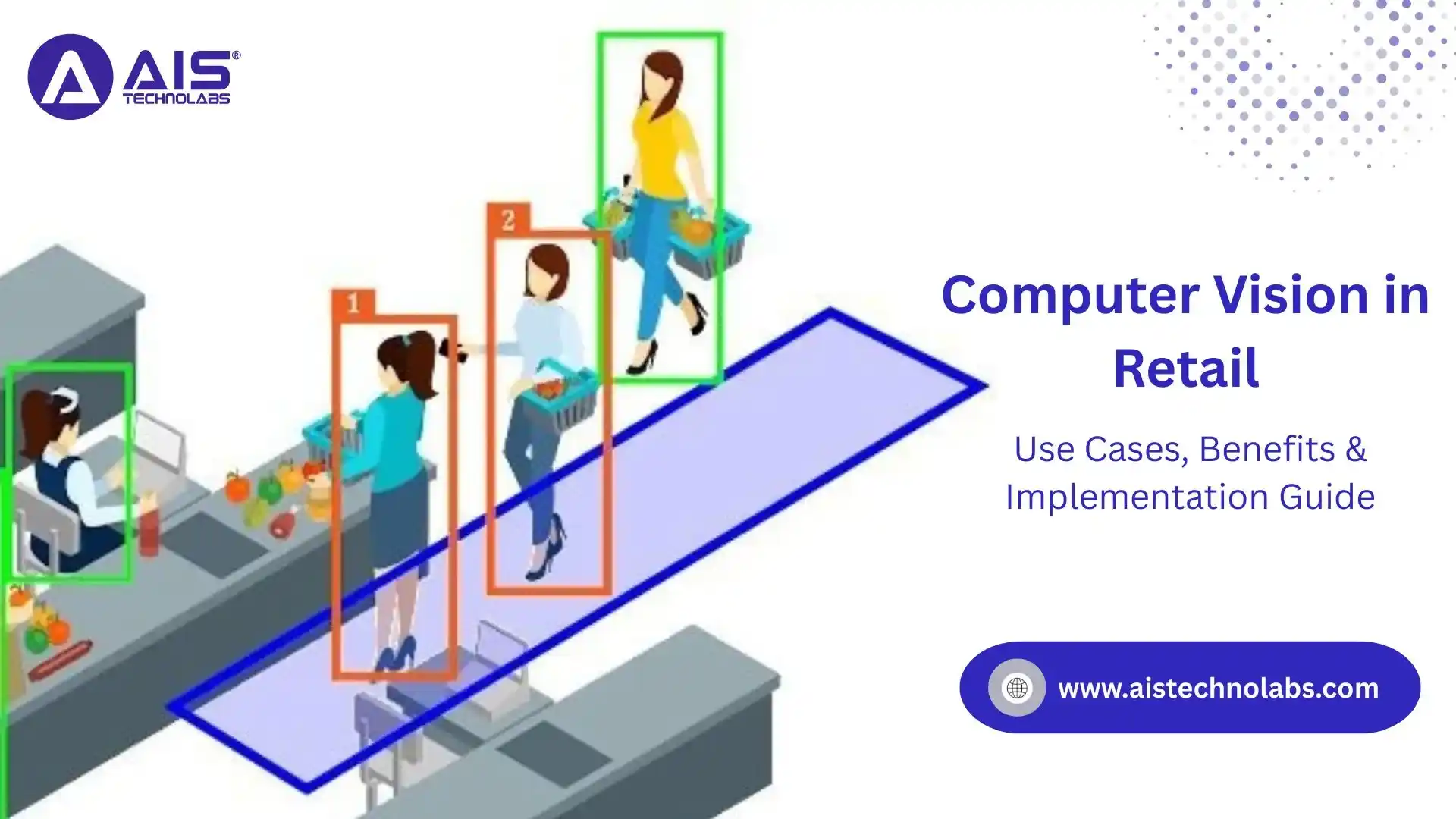
Computer vision systems monitor queue lengths in real time and alert staff when thresholds are exceeded. Some systems even predict congestion before it happens based on historical patterns.
This allows dynamic staff allocation, opening new counters exactly when needed.
The result is smoother operations and happier customers, without overstaffing during low-traffic periods.
8. Product Recognition & Smart Search
Imagine a customer taking a photo of a product and instantly finding similar items in-store or online.
That’s where visual search comes in. Computer vision models recognise products based on images, enabling smarter discovery experiences.
For retailers, this bridges the gap between offline and online shopping. It also opens new ways to engage customers, especially in categories like fashion and home décor.
Among emerging computer vision use cases, this one has strong potential for enhancing omnichannel experiences.
9. Inventory Counting with Robots
Manual inventory counting is labour-intensive and often inaccurate.
Autonomous robots equipped with cameras can navigate store aisles, scan shelves, and update inventory records in real time. These systems work after hours or during low-traffic periods, minimising disruption.
They’re particularly useful for large-format stores where manual counting would take days.
This is a clear example of how Computer Vision retail implementation reduces operational overhead while improving data accuracy.
10. Personalised Digital Signage
Static displays are slowly giving way to dynamic, responsive screens.
Computer vision systems can detect audience attributes, like approximate age group or group size, and adjust displayed content accordingly.
For example, a screen might promote family deals when a group is detected, or highlight premium products for solo shoppers.
It’s not about personalisation at an individual level; it’s about contextual relevance in real time.
And when done right, it feels less intrusive and more helpful.
Business Benefits and ROI Data
Let’s be honest, technology adoption in retail ultimately comes down to one question: Does it pay off?
With Computer Vision in Retail, the answer is increasingly yes, and the numbers back it up.
First, there’s the impact on shrinkage. Retailers using loss prevention AI report reductions of up to 30-40%. This isn’t just about catching theft, it’s about deterring it. When systems can identify suspicious patterns in real time, incidents drop naturally.
Then comes labour efficiency. Tasks like shelf auditing, queue monitoring, and inventory checks traditionally require significant manpower. With computer vision, many of these processes become automated or semi-automated. This doesn’t necessarily mean cutting jobs; it means reallocating staff to higher-value activities like customer service.
Inventory accuracy is another major win. Out-of-stock situations can cost retailers millions annually. By using visual monitoring and predictive analytics, businesses can maintain optimal stock levels and reduce missed sales opportunities.
From a customer experience perspective, the gains are equally compelling. Faster checkouts, better product availability, and smarter store layouts all contribute to higher satisfaction, and ultimately, higher conversion rates.
What’s interesting is how these benefits compound. Improved inventory leads to better customer experiences, which drive more sales. Reduced shrinkage improves margins, which funds further innovation.
When you look at the broader picture, the retail computer vision benefits extend far beyond isolated use cases. They reshape how stores operate, making them more responsive, efficient, and data-driven.
Implementation Guide: How to Deploy Computer Vision in Retail
Knowing where Computer Vision in Retail can create value is one thing. Turning that idea into a working system inside a live store is something else entirely. This is usually where retailers either move with discipline or get lost in a pilot that never scales. The most successful rollouts tend to follow a phased approach, where each stage proves value before the next layer is added.
Phase 1: Use Case Prioritisation
The smartest retail teams do not begin with cameras or models. They begin with a business problem. That matters because computer vision can do many things, but not every use case deserves equal investment on day one. A grocery chain struggling with shrinkage should not start with digital signage. A fashion retailer with poor shelf execution may see faster returns from planogram compliance than cashierless checkout.
This phase is about identifying the pain points that have the clearest financial impact and the cleanest path to measurement. That early clarity makes later Computer Vision retail implementation far more practical.
Phase 2: Camera and Infrastructure Setup
Once priorities are clear, the next question becomes physical: what exactly will the system see, and under what conditions? Computer vision models are only as useful as the visual environment they operate in. Camera angle, lighting, store layout, bandwidth, and edge computing capacity all influence performance.
Retailers often start with existing IP cameras where possible, then add purpose-specific cameras in high-value zones such as entrances, checkout lanes, backrooms, or priority aisles. Edge devices are frequently used to process video locally so that only alerts, metadata, or selected events are sent upstream.
Phase 3: AI Model Selection and Training
Here is where many businesses assume the “AI part” begins, but in reality, this is the middle of the journey. Model selection should follow the chosen use case. Shelf monitoring may require object detection and segmentation. Queue management depends more on counting, tracking, and congestion estimation. Theft detection leans on behaviour recognition and anomaly analysis.
Just as modern AI-powered software development requires careful model tuning and validation beyond simple framework choices, building retail CV systems demands the same discipline. The quality of annotation, edge-case handling, and model validation matters more than simply choosing a famous framework. This is also where Computer Vision Development Services become valuable, because model tuning in retail conditions is rarely a plug-and-play exercise.
Phase 4: Integration with POS and Inventory Systems
A computer vision system becomes truly useful only when it connects to operational systems that the retail team already trusts. If the platform detects an empty shelf, but that alert never reaches inventory workflows, it becomes just another dashboard. The real power appears when visual detection turns into action.
This phase links the vision layer with POS, ERP, WMS, planogram software, staff tasking tools, or digital signage platforms. If checkout intelligence is involved, transaction reconciliation has to be exact. If shelf analytics are the focus, stock alerts should feed replenishment workflows in near real time. This is where retail analytics AI shifts from observation to operational decision-making.
Phase 5: Staff Training
Retail teams can make or break adoption. Even the best system will underperform if store managers see it as surveillance, an IT experiment, or a burden layered onto already busy operations. Staff training is not just about teaching people how to use a dashboard. It is about showing how the system helps them solve problems faster.
When staff understand that the system reduces repetitive checks, improves response time, and supports smoother operations, the rollout becomes collaborative instead of resisted. This human layer is often overlooked, yet it is one of the strongest predictors of long-term success in Computer Vision retail implementation.
Phase 6: Monitoring and Optimisation
Deployment is not the finish line. It is the point where the real learning begins. Store conditions change. Packaging changes. Lighting shifts by season. Shopper behavior changes around holidays, promotions, and local events. Any system left untouched will drift over time.
Retailers that scale successfully treat computer vision as a living capability, not a one-time installation. This is also where second-wave use cases often emerge. A team that started with stockouts may expand into queue management or loss prevention AI once the foundation proves reliable. Good optimisation turns an isolated pilot into a wider operating model.
Privacy, Compliance, and Ethical Considerations
This is the part no serious retailer can afford to treat as a footnote.
The closer visual intelligence gets to people, the more carefully it must be governed. In retail, that means balancing business insight with customer trust, legal obligations, and the practical reality that not every region treats visual data the same way.
The General Data Protection Regulation (GDPR) remains one of the most important frameworks in Europe. Under GDPR, biometric data used for uniquely identifying a person is considered a special category of personal data and is subject to stricter conditions.
- In plain terms, facial recognition for identification is a much more sensitive practice than anonymous people counting or traffic analysis. The European Commission’s guidance on the AI Act also makes clear that AI systems are regulated through a risk-based framework, and some uses involving biometric categorization or surveillance attract much heavier scrutiny.
- Consent frameworks also deserve careful thought. In some jurisdictions, visible notice may be sufficient for analytics-based monitoring if no biometric identification is involved and legitimate interest can be demonstrated.
- Data retention is another practical line of defence. A good rule is simple: retain raw footage only for as long as it is operationally necessary, and retain structured metadata only where there is a clear business or compliance need.
- The regulatory environment is also moving. The EU AI Act is now a real compliance consideration, and the European Union states that it applies a risk-based model to AI systems, with certain prohibited practices already addressed and broader obligations phasing in over time.
Computer Vision Technology Stack for Retail
A useful way to understand the stack is to imagine it as three connected layers: what captures the signal, what interprets it, and what turns it into action. Think of the stack in three simple layers: capture - understand - act.
Hardware layer (data capture):
- Starts with IP cameras (fixed, overhead, aisle-focused, depending on need)
- Placement matters: entrances, shelves, and checkout zones all need different angles
- Many retailers now use edge devices to process video locally (faster + better for privacy)
- Advanced setups may include sensors like RFID, weight sensors, or shelf trackers
- Systems like Amazon Just Walk Out combine multiple inputs, not just cameras
Software layer (data interpretation):
- This is where video turns into insights.
- Tools like OpenCV help with image processing basics.
- Frameworks such as TensorFlow and PyTorch are used to train models.
- YOLO is popular for real-time detection in stores.
- Depending on the use case, systems may include tracking, anomaly detection, or multi-camera logic.
- No single tool does everything; most setups are a mix, built around actual store needs, the same philosophy used by top AI companies in the USA when deploying production-grade vision systems.
Cloud & platform layer (decision + scaling):
- Handles storage, dashboards, integrations, and model updates
- Platforms like Amazon Web Services, Google Cloud, and Microsoft Azure help scale deployments
- Cloud is great for analytics and coordination across stores
- But real-time actions usually stay at the edge - most retailers use a hybrid setup
Where services come in:
This is where Computer Vision Development Services and AI development services actually matter. It’s not just about installing cameras, it’s about:
- Training models properly
- Designing alerts that make sense
- Integrating with POS/inventory
- Staying compliant
Case Studies: Retail Computer Vision in Action
Retail technology becomes far more believable when you look at it in operation rather than in slide decks.
Amazon
One of the most visible public examples is Amazon’s Just Walk Out ecosystem. Public materials from Amazon and AWS describe the experience as a combination of AI, computer vision, sensors, and RFID that allows customers to enter, take products, and leave without a traditional checkout step. The system is designed to identify selected items and reconcile them into a final basket automatically. Amazon and AWS position the model around faster shopping, reduced checkout friction, and smoother store operations.
What makes this example important is not just the novelty of cashierless shopping. It shows how several technologies need to work together in a retail setting where accuracy expectations are very high. A missed shelf detection is annoying.
A missed checkout item is a trust issue. That is why the Amazon example is often useful as a lesson in systems design rather than just customer experience design.
Public commentary around Just Walk Out in 2025 also noted its potential to increase throughput and repeat usage in smaller retail environments, suggesting that the operational benefit may be as important as the “wow factor.”
Walmart
The second case is less cinematic but arguably more practical for most retailers: inventory and shelf intelligence. Walmart became widely associated with shelf-scanning robots and broader AI-based shelf monitoring efforts as part of its push to improve inventory visibility and operational execution. Public discussion of Walmart’s earlier robot programs made clear that the business problem was not simply automation for its own sake. It was about detecting out-of-stocks, pricing issues, and shelf-level inconsistencies faster than manual inspection could.
That lesson still matters today. For many retailers, the highest-value computer vision use cases are not the most futuristic. They are the ones that remove daily blind spots. Shelf visibility is a perfect example because inventory systems often know what should be in stock, but not whether the shelf is actually customer-ready. More recent industry discussion has emphasized exactly this gap: enterprise systems track inventory movement, while visual systems verify shelf reality.
Outcome
- Together, these case patterns tell an important story. One path uses Computer Vision in Retail to eliminate friction at the front end of the customer journey. The other uses it to tighten execution behind the scenes. Both matter. One improves speed and convenience. The other protects availability, labour efficiency, and sales conversion.
- For retailers planning their own roadmap, that distinction is useful. Not every company needs to start with a headline-grabbing cashierless store. In many cases, the more mature move is to begin with shelf analytics, queue monitoring, or loss prevention AI, prove the economics, and then expand. That staged approach typically produces stronger long-term retail computer vision benefits because it builds trust inside the organisation before the technology spreads across more stores.
- It also explains why Computer Vision Development Services are increasingly framed not as experimental AI work, but as operational transformation support. Retailers are no longer asking only, “Can this be built?” They are asking, “Can this run reliably across dozens or hundreds of locations, stay compliant, and keep improving quarter after quarter?” That is the real test.
Conclusion
Retail has entered a phase where seeing better is becoming just as valuable as selling better.
That may sound abstract at first, but on a store floor, it is very concrete. Better visibility means fewer empty shelves. Faster visibility means shorter queues. Smarter visibility means stronger loss control, cleaner execution, and a more responsive customer experience.
That is the practical promise of Computer Vision in Retail. It turns visual chaos into operational signals that teams can actually use.
The real opportunity is not in copying the flashiest use case. It is in choosing the right one for the business, proving its value, and building from there. For some retailers, that will mean shelf intelligence. For others, queue analytics, loss prevention AI, or targeted in-store engagement will create the first win. The key is disciplined rollout, measurable ROI, and a compliance-first mindset.
For brands planning that journey, working with the right engineering and AI partner matters. AIS Technolabs can support businesses looking to build scalable retail intelligence systems through tailored Computer Vision Development Services, from strategy and model design to integration and optimisation. And because implementation quality is often the difference between a pilot and a platform, many retailers are also choosing to hire talent that can bridge AI, operations, and store technology under one roadmap.
The stores that win in the coming years will not just collect more data. They will understand what they see and act on it faster.
FAQs
Ans.
The cost depends on store count, camera coverage, edge hardware, model complexity, and integrations. A small pilot may be relatively affordable, while a multi-store rollout with custom models, POS integration, and real-time analytics can become a larger strategic investment.
Ans.
Yes, especially when they start with one focused use case such as queue monitoring, shelf visibility, or shrink reduction. Small retailers usually see better results when they avoid overbuilding and choose a solution tied to a specific operational pain point.
Ans.
It can be, but compliance depends on how the system is designed and where it is deployed. Anonymous analytics, limited retention, edge processing, clear notices, and avoiding unnecessary biometric identification usually create a much safer compliance position under modern privacy frameworks.

Harry Walsh
Harry Walsh, a dynamic technical innovator with 8 years of experience, thrives on pushing the boundaries of technology. His passion for innovation drives him to explore new avenues and create pioneering solutions that address complex technical problems with ingenuity and efficiency. Driven by a love for tackling problems and thinking creatively, he always looks for new and innovative answers to challenges.
 ASIA PACIFIC